
How to Unlock Your Phone for Use with a Different Network
If you have put a new SIM in an old phone and nothing happens then do not panic because your phone may not be broken at all but simply be tied to its old network. That can happen with older handsets and more so in ones that are second-hand. And while phone unlocking services Preston can help when things get tricky you can check a few things yourself first. We’ll look at what’s really stopping that new SIM from working and how carrier unlock policy matters before we guide you on how to unlock your phone.
How to Check That Your Phone is Locked?
With a network lock you have some room to try a few things first as you don’t need to treat this like a major phone fault that needs expert help right away. While something like phone water damage causes a trip to the repair shop, you can do a few quick checks to unlock phone for different network before you contact your old provider or go for professional service. You may find that your phone is already unlocked or that a simple SIM test tells you exactly what’s going on.
Try a Different SIM First
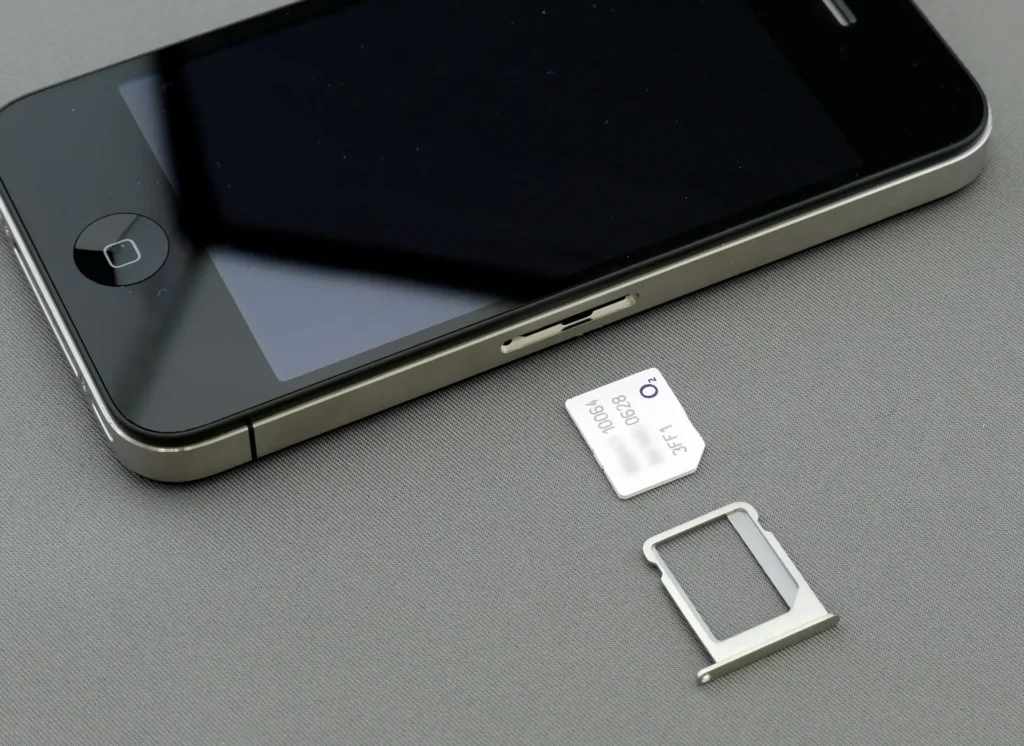
The easiest test that most people skip is to turn your phone off and remove your current SIM card. Then put one from another network in its place and turn the phone back on and give it a moment to connect.
If you get signal and can make a call then the great news is that your phone is most likely unlocked. But if you see a message along the lines of ‘SIM not supported’ or ‘Invalid SIM’ then your phone may still have a network lock. O2 and Vodafone both suggest trying another network’s SIM before you ask for an unlock. If you use a dual SIM phone then do make sure you find out which line handles calls and mobile data.
Check the Phone’s Own Settings
Your phone may also tell you whether it can take another network. If you are wondering how to unlock an iPhone from a carrier then you can try a simple route for a recent model. Go to Settings and then General. Under About look for Network Provider Lock. If it says ‘No SIM restrictions’ then your iPhone is unlocked. On other phones the exact menu can vary by brand and model and that is why you need to check unlock status through the phone or your network so that you can skip a lot of guesswork.
Your Phone Won’t Take Another SIM? Bring it to Shayki’s Phone Shop!
Our skilled technicians can check your handset and find the cause as well as help you choose the right next step.
How to Unlock Your Phone for Another Network?
Once you know the phone really is locked the next move is to NOT rush into random unlocking sites. In most cases you can steer clear of a lot of hassle if you simply contact the network that locked it or head to a service for mobile phone repair Preston. But in case you are still wondering how to unlock phone from carrier by yourself first then your solution will depend on that network and your handset.
Find Your IMEI Number First
Look up the IMEI before you contact the network for a phone that needs an unlock because this unique number identifies your handset and you will be able to get straight to the point when you speak to your provider.
A fast way for you to find the IMEI on many phones is to dial *#06# but you can also look it up in your phone settings or on its original box if you have it. EE and O2 as well as Vodafone all use the IMEI as part of their process to unlock phones.
Reach Out to the Network That Locked It
Your first stop when you go for carrier unlock phone should be the original network. EE lets customers check and unlock eligible devices online while O2 offers free unlocking for its locked devices. Vodafone also has an online route for requesting a network unlock code.
You’ll need your IMEI and some account or device details while the information for a second-hand phone or a phone you did not get directly from the manufacturer will be with the shop where you got either of these.
Check What Your Network Requires
Some phones need no action at all because they already come unlocked like many of the newer EE and O2 devices. But an older phone may also follow a different process from a recent model. Make sure you know the rules that apply to your phone before you send an unlock request because they can differ between networks and between older and newer handsets. Your network may check your account or device before it removes it and this is where unlock eligibility matters when you want to find out how to unlock your phone for use with a different network.
Follow the Unlock Steps Carefully
You will get some instructions once the original network approves the unlock. Don’t assume every phone needs a code and your handset may complete the process without one. Some older Android phones may ask for an unlock code after you insert the new network’s SIM while iPhones work differently because often the network applies the unlock and then the phone can activate with the new SIM.
A technician can help you check the SIM and network settings along with the general phone condition if you still can’t get any methods to work.
What to Do If You Cannot Unlock Phone to Use Any SIM?
Sometimes you get the unlock sorted and still have no signal but that does not always mean the unlock failed. Your new network may not have activated the service yet or the phone may have another issue that has nothing to do with the network lock at all. So how about you check all the possible causes before you assume the worst.
It’s also crucial to remember that an older handset may not support the newer network services you need. Your phone also needs to support the right compatible networks/bands for the service you want because an unlocked phone does not magically make every older handset work with every modern mobile service. If your eSIM refuses to activate then that can also mean that there’s a setup or network issue rather than a mere lock problem.
Is It Safe to Unlock a Phone Yourself?
Not every unlocking method you find online deserves your trust and a factory unlock done by a technician through the original network gives you a safer route than relying on unknown tools or websites. You get to keep your phone’s normal network settings intact as well which you will appreciate if you plan to keep using it for years.
Don’t fall for random apps or tools when you search how to unlock your phone for a different carrier. A software unlock may not work on every phone and some services can leave you with more problems than you started with.
How To Unlock a Phone Without the Original Carrier in Preston?
Changing networks does not always mean that you need to buy another phone as you can check the handset yourself first in many cases and contact the right provider to get the lock removed without much fuss.
If you are still unsure how to unlock your phone then skip the guesswork and risky methods and let us handle everything. We cater to Preston residents who want a skilled repair shop technician to check the status and test the handset to help them work out whether the problem comes from the phone, SIM or network.
Our team deals with the real issue instead of making you pay for a fix you never needed. Pay a visit to Shayki’s Phone Shop today and we’ll sort out the problem to get your phone back in superb working order.
Our Services
Need a Fast, Reliable Phone Repair?
Book your repair with Shayki’s today. Our certified technicians in Preston fix it right, with a 60-day warranty on every job.